





Step-by-Step Guide to Unlocking Your Electric Scooter
Master all methods to unlock your electric scooter: app-based Bluetooth unlocking, physical locks, GPS systems, and rental scooter procedures. Includes troubleshooting tips and security best practices for 2024-2025 models.
Unlocking your electric scooter might seem straightforward, but modern scooters employ various locking mechanisms ranging from smartphone app-based Bluetooth systems to traditional physical locks, GPS-enabled smart locks, and rental-specific unlock procedures. Understanding how to properly unlock your scooter—whether it's a personal scooter with an electronic lock, a rental scooter from Lime or Bird, or a scooter secured with physical locks—ensures smooth operation and maximizes security. This comprehensive guide covers all unlocking methods, troubleshooting common issues, and best practices for keeping your scooter secure when locked.
Types of Electric Scooter Locks and Unlocking Methods
Electric scooters use several different locking technologies, each with unique unlocking procedures. Understanding your scooter's specific lock type is the first step to proper operation.
1. App-Based Electronic Locks (Smart Locks)
How they work: Many modern electric scooters feature built-in electronic locking systems controlled via smartphone apps using Bluetooth connectivity. These smart locks immobilize the motor and sometimes engage a physical locking mechanism on the rear wheel.
Common brands using smart locks:
- Segway-Ninebot: Most models include app-based locking with immobilizer function
- Xiaomi Mi Scooters: Bluetooth lock controlled through Mi Home app
- Apollo Scooters: Smart locks on City, Explore, and Phantom models
- Unagi: Model One features app-controlled electronic lock
- NIU KQi series: NIU app manages electronic lock and GPS tracking
Unlocking procedure:
- Ensure your smartphone's Bluetooth is enabled
- Open the manufacturer's dedicated app (must be installed and paired previously)
- Stand within Bluetooth range of your scooter (typically 15-30 feet or 5-10 meters)
- Tap the "Unlock" button in the app interface
- Wait for confirmation (usually visual and audible beep from scooter)
- The motor and controls will become operational
Advanced features (2024-2025 models):
- Auto-unlock: Some scooters automatically unlock when you approach with your phone (proximity detection)
- Passcode backup: Enter numeric code on scooter display if phone battery dies
- GPS location: Track where your locked scooter is parked via app
- Remote lock verification: Check lock status from anywhere with internet connection
2. Physical Wheel Locks (Built-In)
Mechanical design: Some electric scooters include integrated physical wheel locks, typically on the rear wheel, that must be manually unlocked with a key or combination dial.
Common on models:
- Older Razor models: Some E-series scooters have simple key locks
- Budget scooters: Entry-level models often include basic disc locks
- Hybrid systems: Premium scooters may combine physical locks with electronic immobilizers
Unlocking procedure:
- Locate the wheel lock mechanism (usually on rear wheel or brake disc)
- Insert the key and turn clockwise (or enter combination code)
- Remove the locking pin or release the disc lock
- Store the key safely or ensure lock is fully retracted
- Turn on the scooter's power
Key management tips:
- Keep spare keys in a secure location separate from the scooter
- Photograph the key code when new for replacement ordering
- Consider attaching key to a keychain that's difficult to misplace
- Never leave keys in the lock when riding
3. External Physical Locks (User-Added)
Additional security: Most scooter owners add aftermarket physical locks for enhanced security, especially when parking in public spaces. These must be manually unlocked before riding.
Common external lock types:
- U-locks: Heavy-duty locks similar to bicycle U-locks, attach scooter to fixed object
- Chain locks: Flexible, durable chains (10-15mm links) with padlocks
- Cable locks: Lightweight, flexible cables (best for low-risk areas or as secondary locks)
- Folding locks: Articulated metal plates that fold compactly, balance portability and security
- Disc locks: Small locks that attach directly to brake disc, prevent wheel rotation
Unlocking external locks:
- U-locks: Insert key and rotate to release shackle, remove from scooter frame
- Chain/cable locks: Unlock padlock, unwrap chain from scooter and anchor point
- Folding locks: Unlock and fold apart, remove from scooter
- Disc locks: Insert key, rotate to release from brake disc holes
Security recommendations: For optimal security, use two different lock types simultaneously (e.g., U-lock + cable lock). This forces thieves to carry multiple tools, significantly increasing theft time and likelihood of abandoning the attempt.
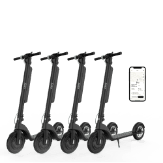
4. Rental Scooter Unlock Systems
Shared mobility platforms: Rental scooters from services like Lime, Bird, Spin, Veo, and others use proprietary unlock systems managed entirely through their apps.
How rental unlocking works:
- QR code scanning: Most services use QR codes on the scooter's handlebars or deck
- In-app scooter map: Select a scooter from the app's map interface
- Reservation system: Some apps let you reserve a scooter for 5-15 minutes before unlocking
- Automatic payment: Unlocking initiates your ride and begins charging your payment method
Step-by-step rental unlocking (2024-2025 apps):
- Download and install the rental service app (Lime, Bird, Spin, etc.)
- Create an account and add a payment method
- Enable location services and Bluetooth on your phone
- Open the app and allow it to access your location
- Locate an available scooter on the map (green icons indicate availability)
- Walk to the scooter and verify it's in good condition
- Scan the QR code on the scooter using the in-app scanner
- Wait for confirmation (scooter typically beeps and lights flash)
- The rear wheel lock will disengage automatically
- Kickstart the scooter and press the throttle to ride
Rental unlock improvements (2024-2025):
- Bluetooth unlocking: Newer rental scooters unlock via Bluetooth without QR scanning
- Voice assistance: Some apps now offer voice-guided unlocking for accessibility
- Multi-scooter unlock: Unlock multiple scooters simultaneously for group rides (Lime, Bird)
- Photo verification: Apps may require you to photograph the scooter before unlocking to confirm condition
5. GPS-Enabled Smart Locks
Advanced security: Premium electric scooters now include GPS-enabled smart locks that provide real-time location tracking and anti-theft alerts in addition to immobilizing the scooter.
Features:
- Real-time GPS tracking: Monitor your scooter's location 24/7 via app
- Geofencing alerts: Receive notifications if scooter moves outside a designated area
- Movement detection: Alerts sent if locked scooter is moved or tampered with
- Remote immobilization: Lock/unlock from anywhere with internet connectivity
- Theft recovery: GPS tracking aids police in recovering stolen scooters
Brands with GPS smart locks:
- Segway GT-series: Built-in GPS with comprehensive tracking
- NIU KQi Pro: GPS + 4G connectivity for remote management
- Apollo Pro: GPS tracking with geofencing capabilities
- Nami Burn-E: Advanced GPS with theft alerts
Unlocking GPS smart locks:
- Open the manufacturer's app with internet/data connection
- Ensure GPS location services are enabled on your phone
- Select your scooter from the device list
- Tap "Unlock" (works from any distance if you have internet)
- Confirmation sent to scooter via cellular or WiFi network
- Scooter becomes operational within 1-3 seconds
Troubleshooting Common Unlocking Problems
Even with proper procedures, you may occasionally encounter issues unlocking your electric scooter. Here's how to diagnose and resolve common problems.
App Won't Connect to Scooter
Bluetooth connection failures: The most common smart lock issue.
Solutions:
- Check Bluetooth: Verify Bluetooth is enabled in your phone's settings
- Proximity: Move within 10-15 feet of the scooter; Bluetooth range varies
- Restart Bluetooth: Toggle Bluetooth off and on in phone settings
- Force close app: Completely close and reopen the scooter app
- Restart scooter: Turn scooter completely off, wait 10 seconds, turn back on
- Forget and re-pair: Remove scooter from app and pair again from scratch
- Update app: Check for app updates in App Store or Google Play
- Phone restart: Restart your smartphone completely
Advanced troubleshooting:
- Check if other Bluetooth devices work with your phone (isolates phone vs. scooter issue)
- Try unlocking with a different smartphone if available
- Verify your scooter's firmware is up to date (check in app settings)
- Clear app cache and data (Android) or reinstall app (iOS)
Dead Phone Battery
Problem: Your phone is dead and you can't access the unlocking app.
Solutions by scooter type:
- Passcode-enabled scooters: Many smart scooters allow you to set a backup PIN code accessible on the scooter's display. Enter this code to unlock without a phone
- Physical key backup: Some smart locks include a physical key override—check your scooter's documentation
- USB charging: If your scooter has a USB port, you may be able to charge your phone enough to unlock (5-10 minutes usually sufficient)
- Nearby assistance: Ask someone nearby if you can briefly use their phone to install the app and log in
- Public charging: Find a nearby café, library, or public charging station
Prevention: Always carry a portable battery pack when riding distances, or program a backup PIN code if your scooter supports this feature.
Lost or Broken Physical Keys
Problem: You've lost the key for your scooter's physical lock or the key has broken.
Immediate solutions:
- Spare key: Use your spare key if you kept one in a safe location
- Key code: If you recorded the key code, order a replacement from the manufacturer using this number
- Contact manufacturer: Provide serial number and proof of ownership to order replacement keys
- Local locksmith: Professional locksmiths can often create keys from the lock itself
Broken key in lock:
- Do not try to force the lock—you may damage it permanently
- Use needle-nose pliers or a broken key extractor tool to remove the broken piece
- Apply a small amount of lubricant (WD-40 or graphite) to ease extraction
- If extraction fails, contact a locksmith to avoid damaging the lock mechanism
Physical Wheel Lock Stuck
Problem: The key turns but the wheel lock won't release.
Solutions:
- Lubricant: Spray lock lubricant (not WD-40 for long-term; use graphite powder or dry lube) into the lock mechanism
- Gentle force: While turning the key, gently push or pull on the locking pin
- Temperature: If lock is frozen (winter), warm with your hands or move scooter to warm location
- Rust removal: For rusty locks, apply rust penetrant and wait 15-30 minutes before attempting again
- Professional help: If lock remains stuck after these attempts, consult a repair shop or locksmith
Rental Scooter Won't Unlock
Problem: QR code scanning fails or app shows error when trying to unlock a rental scooter.
Solutions:
- Try different scooter: The scooter may have low battery or be marked for maintenance
- Check balance: Ensure your account has sufficient balance or valid payment method
- Internet connection: Verify you have cellular data or WiFi connectivity
- App permissions: Confirm location, camera, and Bluetooth permissions are enabled
- Manual code entry: If QR scanning fails, try manually entering the scooter ID number
- Force close app: Close and reopen the rental app completely
- Contact support: Use the in-app support feature or help button for assistance
- Report issue: Mark the scooter as damaged or not working so others don't encounter the same problem
Common rental error messages:
- "Scooter not available": Someone else may be using it, or it's reserved for maintenance
- "Outside service area": You're trying to unlock outside the permitted riding zone
- "Payment failed": Update your payment method in account settings
- "Account suspended": Contact customer support to resolve account issues
Security Best Practices for Locking
Proper locking technique is just as important as understanding how to unlock. Following security best practices minimizes theft risk when your scooter is locked.
Choosing a Secure Lock Location
Ideal locking spots:
- High-visibility areas: Park where there's foot traffic and natural surveillance
- Well-lit locations: Avoid dark areas, especially at night
- Security cameras: Look for areas covered by CCTV
- Sturdy anchor points: Lock to fixed, immovable objects (bike racks, poles, railings)
- Indoor when possible: Bring scooter inside buildings if allowed
Avoid these locations:
- Isolated areas with no foot traffic
- Same spot every day (predictable patterns help thieves plan)
- Easily cut anchor points (thin poles, wooden posts, chain-link fences)
- Obstructive locations where your scooter blocks walkways (may be removed by authorities)
Proper Locking Technique
Maximum security locking method:
- Use two different lock types: Combine U-lock with cable/chain lock
- Secure frame and wheel: Lock both the frame and at least one wheel to immovable object
- Minimize lock space: Tighten locks to reduce space for crowbars or bolt cutters
- Lock off the ground: Position locks higher to make ground-based leverage attacks harder
- Hide keyhole: Point lock keyhole downward or away from easy access
- Remove accessories: Take phone holders, bags, and removable accessories with you
- Engage electronic lock: Always activate smart lock in addition to physical locks
Quick security tip: According to theft recovery data, using two locks of different types increases security by 3-5x compared to a single lock, as thieves typically carry tools for one specific lock type.
Invest in Quality Locks
Security ratings: Look for locks with Sold Secure ratings (UK) or ART ratings (Netherlands):
- Bronze/1-star: Basic security, suitable for low-risk areas (5-10 minutes to defeat)
- Silver/2-star: Good security for most situations (10-15 minutes to defeat)
- Gold/3-star: Maximum security for high-risk areas (15+ minutes to defeat)
- Diamond/4-star: Premium security for expensive scooters (30+ minutes to defeat)
Budget allocation: A common rule is to spend 10-15% of your scooter's value on quality locks. For a $1,000 scooter, invest $100-150 in high-quality locking solutions.
Insurance and Registration
Additional protection:
- Register serial number: Document your scooter's serial number with police (if available) and theft databases like Bike Index
- Take photos: Photograph your scooter from multiple angles, including serial number
- Insurance coverage: Consider renter's, homeowner's, or specialized e-scooter insurance that covers theft
- GPS tracking: If your scooter has built-in GPS, ensure it's activated and registered
- Receipt retention: Keep purchase receipts and warranty documents for ownership proof
Smart Lock Features Comparison (2024-2025)
Modern electric scooters offer various smart locking features. Here's what to expect from different manufacturers.
Segway-Ninebot Smart Locks
Features:
- Bluetooth app unlocking via Segway-Ninebot app
- Auto-lock when you walk away (configurable distance)
- Motor immobilizer prevents riding when locked
- Alarm system triggers if scooter is moved while locked
- GPS tracking on select models (GT, E+ series)
- Firmware updates add new security features
Xiaomi Mi Scooter Smart Locks
Features:
- Mi Home app integration for unlocking
- Speed limiting mode (can set locked scooter to low speed instead of complete immobilization)
- Bluetooth automatic unlock when phone approaches
- Passcode backup accessible on scooter display
- Lock status visible in app even when away from scooter
Apollo and NIU Smart Locks
Advanced features:
- GPS + 4G connectivity for remote unlocking from anywhere
- Real-time location tracking with map view
- Geofencing with customizable boundaries
- Movement and vibration alerts sent to phone
- Multiple user access (share scooter with family members)
- Lock/unlock history tracking
- Integration with smart home systems (select models)
Aftermarket Smart Lock Solutions
Add smart features to any scooter: If your scooter doesn't have built-in smart locks, consider aftermarket solutions:
- Bluetooth padlocks: Brands like Master Lock and Nokē offer Bluetooth-enabled padlocks
- GPS trackers: Hidden GPS tracking devices (Apple AirTag, Tile, dedicated GPS trackers)
- Alarm disc locks: Physical disc locks with 110dB alarms that sound when moved
- Smart chains: Chains with integrated Bluetooth locks and alarms
Legal Considerations for Unlocking
Understanding legal boundaries ensures you unlock scooters responsibly and within the law.
Only Unlock Scooters You Own or Rent
Legal boundary: Unlocking, tampering with, or attempting to unlock a scooter you don't own or haven't legitimately rented is illegal in all jurisdictions and constitutes theft or attempted theft.
Consequences:
- Criminal charges for theft or attempted theft
- Civil liability for damages to the scooter or lock
- Permanent ban from rental scooter services
- Fines ranging from hundreds to thousands of dollars
Rental Scooter Terms of Service
Follow platform rules: Rental services have specific terms:
- Single rider only: Don't unlock scooters for others unless explicitly allowed
- Age requirements: Most services require users to be 18+ years old
- License requirements: Some jurisdictions require driver's licenses to rent scooters
- Helmet laws: Comply with local helmet requirements when unlocking and riding
- Riding zones: Only unlock and ride in permitted areas
Don't Attempt to Bypass Locks
Never attempt to:
- Pick locks on scooters you don't own
- Cut locks on rental or private scooters
- Override electronic locks through hacking or firmware manipulation
- Use "universal unlock" methods or tools promoted online
Ethical note: Even if you find methods online claiming to unlock any scooter, using these techniques on scooters you don't own is theft, regardless of the stated purpose.
Maintaining Locks for Smooth Operation
Regular lock maintenance ensures reliable unlocking and extends lock lifespan.
Physical Lock Maintenance
Regular maintenance schedule:
- Monthly: Apply dry lubricant (graphite or PTFE) to key locks—avoid oil-based lubricants that attract dirt
- After rain: Dry locks thoroughly and apply lubricant to prevent rust
- Winter: Use de-icer or bring indoors to prevent freezing
- Inspection: Check for wear, rust, or damage; replace locks showing significant degradation
Smart Lock Maintenance
Digital maintenance:
- Keep app updated: Install manufacturer app updates promptly for bug fixes and new features
- Firmware updates: Check for scooter firmware updates regularly (usually in app settings)
- Battery management: Keep scooter charged above 20% to ensure smart lock remains functional
- Bluetooth connection: Periodically unpair and re-pair your phone to refresh connection
- Backup methods: Test passcode or physical key backups regularly to ensure they work when needed
The Future of Electric Scooter Locks
Lock technology continues to evolve with new security and convenience features on the horizon.
Emerging Lock Technologies
Biometric locks: Fingerprint and facial recognition locks are being tested on premium scooters, allowing unlocking without phones or keys.
Blockchain verification: Some manufacturers are exploring blockchain-based ownership verification that prevents theft by making stolen scooters unusable without cryptographic proof of ownership.
AI-powered security: Machine learning algorithms that detect unusual movement patterns and automatically lock the scooter or alert the owner.
5G connectivity: Faster, more reliable remote locking and tracking with 5G networks replacing current 4G systems.
Integration with Other Services
Cross-platform compatibility: Future scooters may use universal smart lock standards compatible with multiple apps and services.
Smart city integration: Scooter locks that communicate with city parking systems to identify legal parking spots and automatically lock when parked correctly.
Insurance partnerships: Smart locks that provide usage data to insurance companies for usage-based insurance pricing.
Conclusion
Unlocking your electric scooter correctly depends entirely on your scooter's specific locking mechanism—whether it's an app-based smart lock controlled via Bluetooth, a physical key or combination lock, an external aftermarket lock, a GPS-enabled smart lock, or a rental scooter's QR-code system. Understanding your scooter's unlock method, troubleshooting common issues, and following security best practices ensures convenient access while maximizing theft protection.
Key takeaways for unlocking electric scooters:
- App-based smart locks: Unlock via Bluetooth with manufacturer's app; ensure proximity and phone battery
- Physical locks: Use keys or combination codes; keep spare keys and record key codes
- Rental scooters: Scan QR codes via rental app (Lime, Bird, Spin); verify account and payment method
- GPS smart locks: Remote unlocking from anywhere with internet; real-time tracking and geofencing
- Troubleshooting: Restart app/phone, check Bluetooth/internet, use backup PIN codes
- Dead phone battery: Use backup PIN, physical key override, or USB charging if available
- Security best practices: Use two different lock types (3-5x more secure), lock to fixed objects in visible areas
- Lock quality: Invest 10-15% of scooter value in quality locks; look for Gold/Silver security ratings
- 2024-2025 features: Auto-unlock proximity detection, backup passcodes, GPS tracking, voice assistance
- Maintenance: Lubricate physical locks monthly, keep apps/firmware updated, test backup methods regularly
- Legal compliance: Only unlock scooters you own or legitimately rent; never attempt to bypass locks
Whether you own a personal scooter with advanced smart lock features or regularly rent scooters from sharing services, mastering the unlocking process ensures smooth operation and reduces frustration. As lock technology continues to advance with biometric authentication, blockchain verification, and AI-powered security, electric scooters will become even more secure while remaining convenient to unlock for legitimate owners. By combining proper unlocking knowledge with strong security practices—including quality locks, strategic parking locations, and GPS tracking—you can enjoy the convenience of electric scooter transportation while minimizing theft risk and ensuring reliable access whenever you need to ride.