





Identifying Your Electric Scooter Model: A Comprehensive Guide
How to identify your electric scooter model and serial number. Find the label on the deck, stem, or battery, decode it, or use a maker app. 2026 guide.
Whether you're ordering replacement parts, seeking customer support, verifying warranty coverage, or selling your electric scooter, accurately identifying your exact model is essential. However, finding model numbers and serial numbers on electric scooters can be challenging, especially if you've lost your documentation or purchased a used scooter. This comprehensive 2026 guide explains every method to identify your electric scooter model, where to find serial numbers, how to decode identification numbers, and what to do when standard identification methods fail.
Why Identifying Your Scooter Model Matters
Knowing your exact scooter model and serial number is crucial for several important reasons:
Ordering Compatible Parts
Replacement parts are model-specific. Even within the same brand, different models use different batteries, controllers, throttles, tires, and other components. Ordering the wrong part wastes money and time. Your exact model number ensures you get compatible parts.
Accessing Accurate Support
When contacting manufacturer customer support, they'll ask for your model number and serial number. This information allows them to:
- Access your specific scooter's technical specifications
- Provide accurate troubleshooting for your model's systems
- Identify known issues specific to your production batch
- Verify warranty status and coverage
Warranty Claims and Registration
Manufacturers require serial numbers to process warranty claims and verify purchase dates. Without this information, you may be denied warranty service even if your scooter is within the warranty period.
Firmware Updates and App Compatibility
If your scooter connects to a mobile app, you'll need the correct model information to download compatible firmware updates and access model-specific features.
Resale Value Verification
When selling your scooter, buyers want to verify the exact model and ensure it's not stolen. Providing the serial number builds trust and may increase resale value.
Theft Recovery
If your scooter is stolen, having the serial number documented helps police recover it and proves ownership.
Method 1: Check Your Documentation
The easiest identification method—if you still have your scooter's original materials:
User Manual
Where to look: Front cover, back cover, or first page typically displays the model name and number prominently.
What you'll find: Full model designation (e.g., "Xiaomi Mi Electric Scooter Pro 2"), model number codes (e.g., "DDHBC02NEB"), and sometimes variant information (color, region).
Original Packaging Box
Where to look: Side panels and top of the box usually have labels with model information.
What you'll find: Model name, model number, serial number (specific to your unit), UPC/barcode, and manufacturing details.
Purchase Receipt or Invoice
Where to look: Itemized product description on the receipt.
What you'll find: Model name as it appears in the retailer's system, SKU number, and sometimes serial number if recorded at purchase.
Warranty Card or Registration Documents
Where to look: Warranty cards included with new scooters.
What you'll find: Model number, serial number (often handwritten or affixed sticker), warranty period, and manufacturer contact information.
Method 2: Find Physical Labels and Stickers
All electric scooters have identification labels somewhere on the unit. Here's where to look:
Underside of the Deck (Most Common Location)
How to check:
- Tilt or flip the scooter so you can see underneath the deck
- Look for a rectangular sticker or metal plate, often located:
- Near the rear wheel
- Center of the deck underside
- Near the kickstand mount
- Clean off any dirt or debris covering the label
What the label includes:
- Brand name and logo
- Model name and number
- Serial number (S/N or Serial No.)
- Manufacturing date or production code
- Barcode or QR code
- Regulatory certifications (FCC, CE, etc.)
- Electrical specifications (voltage, wattage)
Stem or Handlebar Post
How to check:
- Examine the stem (vertical tube connecting handlebars to deck)
- Look on all sides—front, back, left, right
- Check both upper stem (near handlebars) and lower stem (near deck connection)
- Some labels may be partially hidden by cables or grips
Common placement: Sticker or engraved plate on the front or back of the stem, about 6-12 inches from the deck.
Near the Charging Port
How to check:
- Locate your scooter's charging port (usually on the deck or stem)
- Examine the area within 2-3 inches around the port
- Look for small identification stickers
Why here: Manufacturers often place secondary labels near the charging port as a convenient reference point.
Inside the Battery Compartment
How to check:
- Turn off the scooter and disconnect from charger
- Remove the deck cover by unscrewing the bottom plate (usually 4-8 screws)
- Look inside for labels on:
- The battery pack itself
- The inside of the deck cover
- The deck floor
- The controller unit
Safety note: Don't disconnect the battery unless absolutely necessary. Simply removing the cover to view labels is safe.
Under the Footplate or Removable Deck Panel
Some scooters have removable top deck panels:
- Check if your deck has a removable top panel or grip tape that lifts off
- Look for screws or clips securing the panel
- Carefully remove to reveal labels underneath
On or Near the Motor
How to check:
- Look at the hub motor (in the wheel)
- Examine the motor casing for engraved or embossed information
- Some motors have model numbers stamped directly into the metal
Method 3: Visual Identification by Brand Logos and Design
If you can't find labels, identify the brand first, then narrow down the specific model:
Identify the Brand
Look for logos on:
- Handlebars or grips
- Display panel
- Deck surface
- Stem
- Fenders
Common brand logos:
- Xiaomi/Mi: "Mi" logo or "Xiaomi" text, typically minimalist design
- Segway-Ninebot: Segway logo (mountain/arrow symbol) or "Ninebot" text
- Razor: "Razor" text logo, often on stem
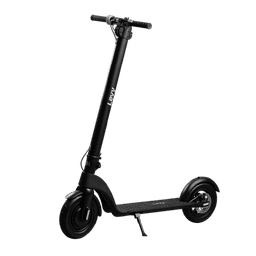
- Levy Electric: "Levy" branding on stem or deck
- Hiboy: "Hiboy" text logo
- Gotrax: "Gotrax" logo
- Apollo: "Apollo" text or "A" logo
- Unagi: "Unagi" text logo
Identify Model by Visual Characteristics
Once you know the brand, identify the model by comparing your scooter to the manufacturer's product lineup:
Key distinguishing features:
- Display type: LED vs. LCD, size, shape, button layout
- Tire size: Measured in inches (8.5", 10", etc.)
- Tire type: Pneumatic (air-filled) vs. solid
- Suspension: None, front only, rear only, or dual suspension
- Brake type: Disc, drum, electronic, foot brake
- Foldmechanism: Quick-release, latch, or non-folding
- Color: Some models only come in specific colors
- Weight capacity sticker: Often indicates model series
Use Manufacturer Websites
Visit the brand's official website and compare your scooter to their current and discontinued models:
- Go to the manufacturer's website
- Navigate to "Products" or "Scooters"
- Look at each model's photos and specifications
- Match visual features to your scooter
- Check "Support" or "Downloads" sections for spec sheets of older/discontinued models
Method 4: Use Manufacturer Mobile Apps
Many electric scooters connect to dedicated smartphone apps that automatically identify your model:
Bluetooth-Connected Scooters
How it works:
- Download the manufacturer's official app (Mi Home for Xiaomi, Segway-Ninebot app, etc.)
- Enable Bluetooth on your smartphone
- Power on your scooter
- Open the app and follow pairing instructions
- Once connected, the app displays:
- Exact model name
- Serial number
- Firmware version
- Manufacturing information
Common manufacturer apps:
- Xiaomi: Mi Home (Xiaomi Home)
- Segway-Ninebot: Segway-Ninebot app
- Levy Electric: Levy Electric app
- Apollo: Apollo Scooters app
- Hiboy: Hiboy app
- Unagi: Unagi Scooters app
- Gotrax: Gotrax app
Scooters Without Bluetooth
If your scooter doesn't have Bluetooth, apps may still help:
- Some apps include visual identification guides
- Model comparison tools
- Serial number lookup databases (enter S/N if you can find it)
Method 5: Decode the Serial Number
Serial numbers contain encoded information about your scooter:
Common Serial Number Format
Most electric scooter serial numbers follow patterns like:
Format: [Brand Code][Model Code][Production Year][Production Month][Unit Number]
Example: XM365P251234567
- XM: Xiaomi brand code
- 365P: Mi 365 Pro model code
- 25: Manufactured in 2025
- 12: December
- 34567: Unique unit number in that production run
How to Decode Your Serial Number
- Find your serial number using methods above
- Visit the manufacturer's support website
- Look for a "Serial Number Decoder" or "Check Warranty" tool
- Enter your serial number—the system will display your exact model
- If no online tool exists, contact customer support with your S/N
Method 6: Online Communities and Resources
When standard methods fail, leverage online communities:
Reddit Communities
r/ElectricScooters: Post photos of your scooter with a request for identification. Include:
- Clear photos from multiple angles
- Close-ups of unique features (display, brakes, motor)
- Any visible text or numbers
- Measurements if possible (wheel size, deck length)
The community is very active and experienced members can often identify models within minutes.
Facebook Groups
Join brand-specific or general e-scooter groups:
- "Electric Scooter Riders"
- "Xiaomi M365 Owners Group"
- "Segway Ninebot Riders"
- Brand-specific groups for your scooter
Scooter Forums
- ElectricScooter.Guide forum
- ScooterTalk.org
- Manufacturer-specific forums
Visual Search Tools
- Take a clear photo of your scooter
- Use Google Lens or reverse image search
- Compare results to find matching models
- Cross-reference specifications to confirm
Method 7: Contact Manufacturer or Retailer
Manufacturer Customer Support
What to provide:
- Clear photos of the scooter from multiple angles
- Photos of any visible numbers or text (even partial serial numbers)
- Purchase date (approximate if unknown)
- Where you purchased it (retailer name)
- Any identifying features or specifications you know
Contact methods:
- Email support (response typically 24-48 hours)
- Phone support (check manufacturer website for number)
- Live chat on manufacturer website
- Social media (Twitter, Facebook support accounts)
Retailer Assistance
If you purchased from a retailer:
- Contact them with your purchase date
- Provide your name and email used for purchase
- They can look up your order history and identify the exact model purchased
Brand-Specific Identification Tips
Xiaomi Mi Scooters
Serial number location: Underside of deck, near rear wheel
Models: M365, M365 Pro, Pro 2, Essential, 1S, Mi 3 (legacy); Scooter 4, 4 Pro, 4 Ultra, Elite, 5 Pro and 5 Max (current); and the 2026 Series 6 (6, 6 Pro, 6 Ultra)
Identification:
- M365: 8.5" tires, basic LED display, no suspension
- M365 Pro: 8.5" tires, larger battery, longer range
- Pro 2: Upgraded display, improved braking
- Essential: Budget model, smaller battery
- Scooter 4 and newer: 10-inch tires (12-inch on the Series 6), plain "Xiaomi" branding after the "Mi" prefix was dropped in 2023
- Use the Xiaomi Home app (formerly Mi Home) for definitive identification
Segway-Ninebot Scooters
Serial number location: Underside of deck or inside battery compartment
Model series: ES1, ES2, ES4 (legacy); E2, F-series and F2, MAX and Max G2/G3, ZT3, and the GT-series (current)
Identification:
- ES series: External battery capability, folding design
- MAX: Larger frame, 10" pneumatic tires
- Max G2/G3: 10-11" tubeless tires, dual suspension, traction control
- Use the Segway-Ninebot app—it displays the exact model immediately upon connection
Razor E-Scooters
Serial number location: Stem or underneath deck
Common models: E100, E200, E300, E Prime, Icon
Identification: Model number usually clearly printed on stem
Generic/Unbranded Scooters
Challenge: May lack clear branding or model designations
Approach:
- Look for any text in Chinese characters (may indicate Chinese manufacturer)
- Check for part numbers on components (motor, controller)
- Search those part numbers online
- Use visual identification through online communities
What to Do When You Can't Find Any Identification
Document Physical Specifications
Measure and document:
- Wheel diameter (inches)
- Deck length and width
- Overall height
- Weight (use bathroom scale)
- Battery voltage (visible on charger: 24V, 36V, 48V)
- Motor location (front wheel, rear wheel, dual)
Test Performance Characteristics
- Maximum speed (use GPS app)
- Acceleration responsiveness
- Range on full charge
- Brake type and response
Order "Universal" Parts When Possible
Some components are universal or have standard sizing:
- Tires (by size: 8.5x2, 10x2.5, etc.)
- Inner tubes (if pneumatic tires)
- Grips (by handlebar diameter)
- Generic throttles (though specific compatibility isn't guaranteed)
Recording Your Scooter Information
Once you've identified your scooter, document this information permanently:
What to Record
- Brand name
- Complete model name and number
- Serial number
- Purchase date
- Retailer/seller
- Purchase price
- Warranty expiration date
Where to Store This Information
- Digital: Take photos of all labels and save to cloud storage (Google Drive, iCloud)
- Physical: Write down in a safe location (home filing system)
- Password manager: Many password managers have "secure notes" for storing this type of information
- Manufacturer account: Register your scooter on manufacturer website if available
Conclusion: Know Your Scooter
Identifying your electric scooter model is straightforward when you know where to look. Start with documentation if available, then check physical labels (most commonly found on the underside of the deck). For Bluetooth-equipped scooters, manufacturer apps provide instant, accurate identification.
Quick identification checklist:
- Check user manual, box, or receipt
- Look under deck for label/sticker
- Examine stem and charging port area
- Open battery compartment if necessary
- Use manufacturer app if Bluetooth-equipped
- Post photos to online communities if needed
- Contact manufacturer support as last resort
Once identified, record your model and serial number in multiple locations for future reference. This information proves invaluable for parts orders, troubleshooting, warranty claims, and resale transactions.
With your scooter properly identified, you can confidently order compatible parts, access accurate support resources, and maintain your scooter with model-specific guidance.